How to Copy the Correct Pinterest Pin Link for Downloading
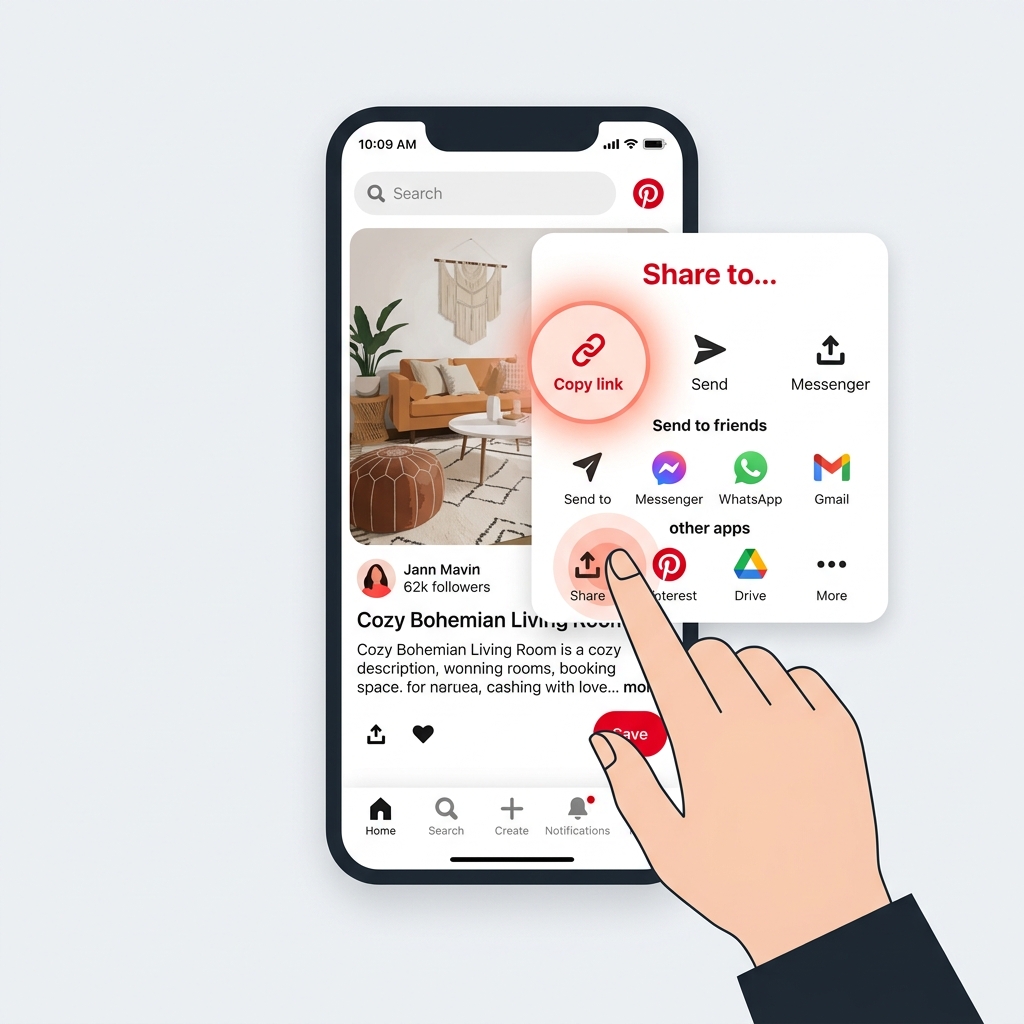
Whether you are using PinnDownloader to save a culinary instruction video, a design layout, or an animated GIF, the success of your download depends on one critical factor: **copying the correct link.**
If you paste a profile page link, a board URL, or a search result page, downloaders will fail to recognize the media. In this guide, we will provide a step-by-step walkthrough on how to retrieve the exact Pin link on Desktop, iPhone, and Android.
What Does a Valid Pinterest Pin Link Look Like?
Before copying, let's identify the acceptable formats. A valid Pinterest link generally follows one of two structures:
- Desktop/Browser Link: `https://www.pinterest.com/pin/123456789012345678/` (a long URL containing the keyword "/pin/" followed by a string of digits)
- Mobile/App Link: `https://pin.it/7xK2v9z` (a short link format starting with `pin.it` generated when sharing from mobile devices)
How to Copy Link on Desktop (Windows, Mac, Linux)
Copying the URL from a desktop browser is the most straightforward method:
- Go to the Pinterest website and click on the specific Pin containing the video or image you wish to download to open the details view.
- Look at your browser's address bar at the very top of the window.
- Highlight the entire address, right-click, and select Copy (or press Ctrl+C on Windows or Cmd+C on Mac).
- Alternatively, click the Share button (an arrow pointing upwards or sideways on the Pin page) and click the Copy link option.
How to Copy Link on iPhone & iPad (iOS)
If you are using the official Pinterest app on Apple devices, use this approach:
- Open the Pinterest app and navigate to the Pin you want to save.
- Tap the Pin to expand it.
- Tap the **Share** icon (it looks like a small paper plane or upward arrow, located at the bottom-right or top-right).
- Scroll through the sharing options and tap **Copy link** (symbolized by a chain link icon). A prompt saying "Link copied!" will briefly appear.
How to Copy Link on Android Devices
On Android, the share button behavior is similar, but visual icons might differ slightly depending on your operating system version:
- Launch the Pinterest app and select the Pin you want.
- Tap on the three horizontal dots `...` at the top right of the Pin or tap the **Share** icon.
- In the pop-up menu that appears, tap the **Copy link** button.
Common Mistakes to Avoid:
- Copying the Board link: Do not copy a link containing "/boards/" or "/username/board-name/".
- Copying the Profile URL: Make sure you aren't copying the creator's page, like `pinterest.com/username/`.
- Copying Search page link: Links that look like `pinterest.com/search/` will not work.
Next Steps
Once the correct link is safely copied to your clipboard, navigate back to the PinnDownloader homepage, click inside the input box, paste the link (right-click and select "Paste" or press Ctrl+V), and hit **Download**. Your download will be ready in seconds!